
If you run a photography studio, start with Claude Cowork or ChatGPT Work when the finish line is a document, spreadsheet, deck, or scheduled workflow. Move to OpenAI Codex or Claude Code when the job changes your website, automation, or codebase. The brand matters less than where the work lives and what you need to review.
Work and Cowork are the easiest way to feel what an agent can do without living in a terminal. Studios that want repeatable website and automation systems will eventually need a coding agent that leaves behind rules, skills, diffs, tests, and a reusable trail.
Key Takeaways
- Chat = back and forth. You copy, paste, and finish the work.
- Work / Cowork = agents that return finished docs, sheets, decks, and workflows you approve. Feet wet.
- Codex / Claude Code = coding agents with repos, diffs, tests, skills, and memory. Full power.
- Independent comparisons converge: pick by where the work lives (local files vs connected apps vs a repo) and by the review unit (reply vs artifact vs diff).
- Studio action: try one agent job this week, then move website and automation work to Claude Code (our home base).
I'm Humberto Garcia, founder of Photography to Profits. Short picker already lives in Claude Code for Photographers. Skills trail: Claude Skills for Photographers.
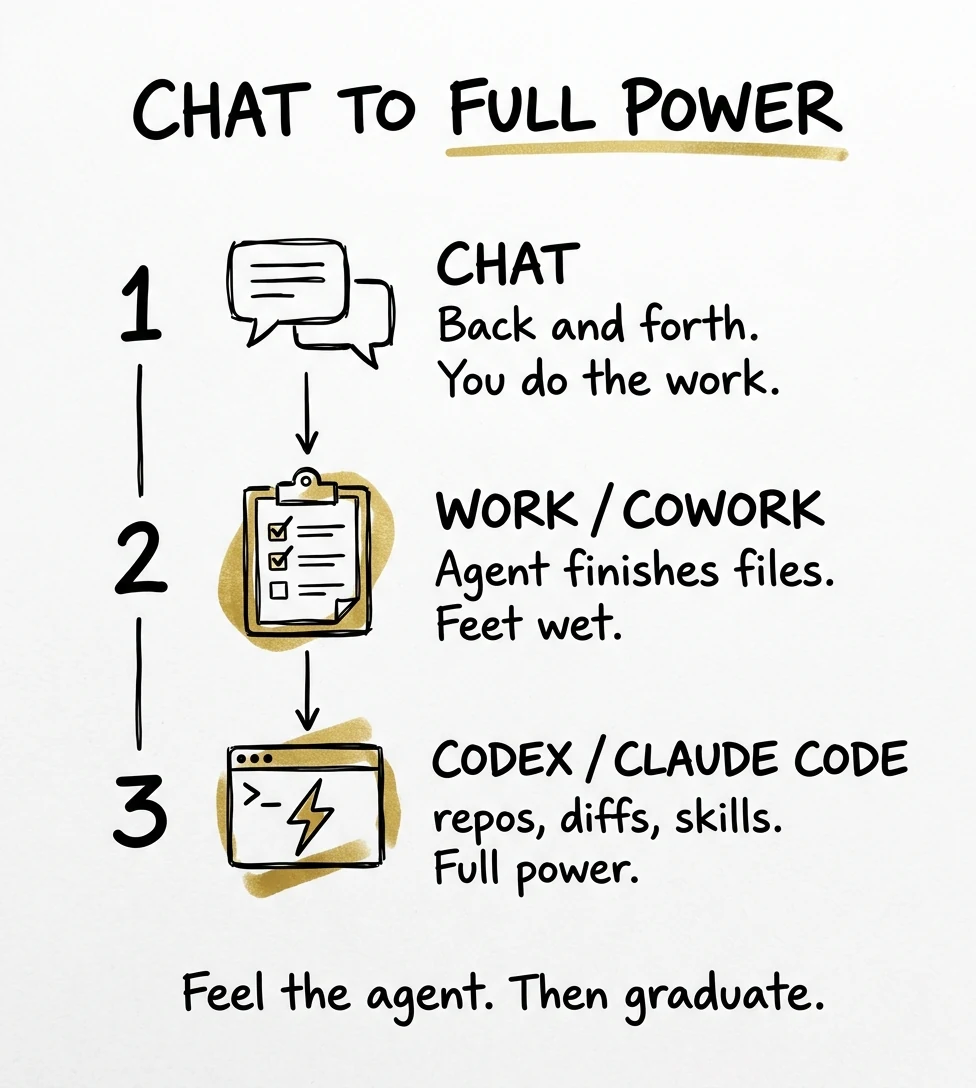
Chat vs Agent: the Only Mental Model You Need
Chat means you sit there and go back and forth. The AI answers. You do the real work in Docs, Canva, your CRM, or your website builder.
An agent means you describe an outcome. It plans, uses tools, edits files or browses, and brings back work for review. You approve important actions. You are not typing every intermediate prompt.
OpenAI's own intro puts it plainly: ChatGPT moves from answering questions to doing work by connecting to your tools, with a Work tab next to Chat, plus scheduled briefings and desktop access to local projects (OpenAI: Get started with ChatGPT Work, creator captions).
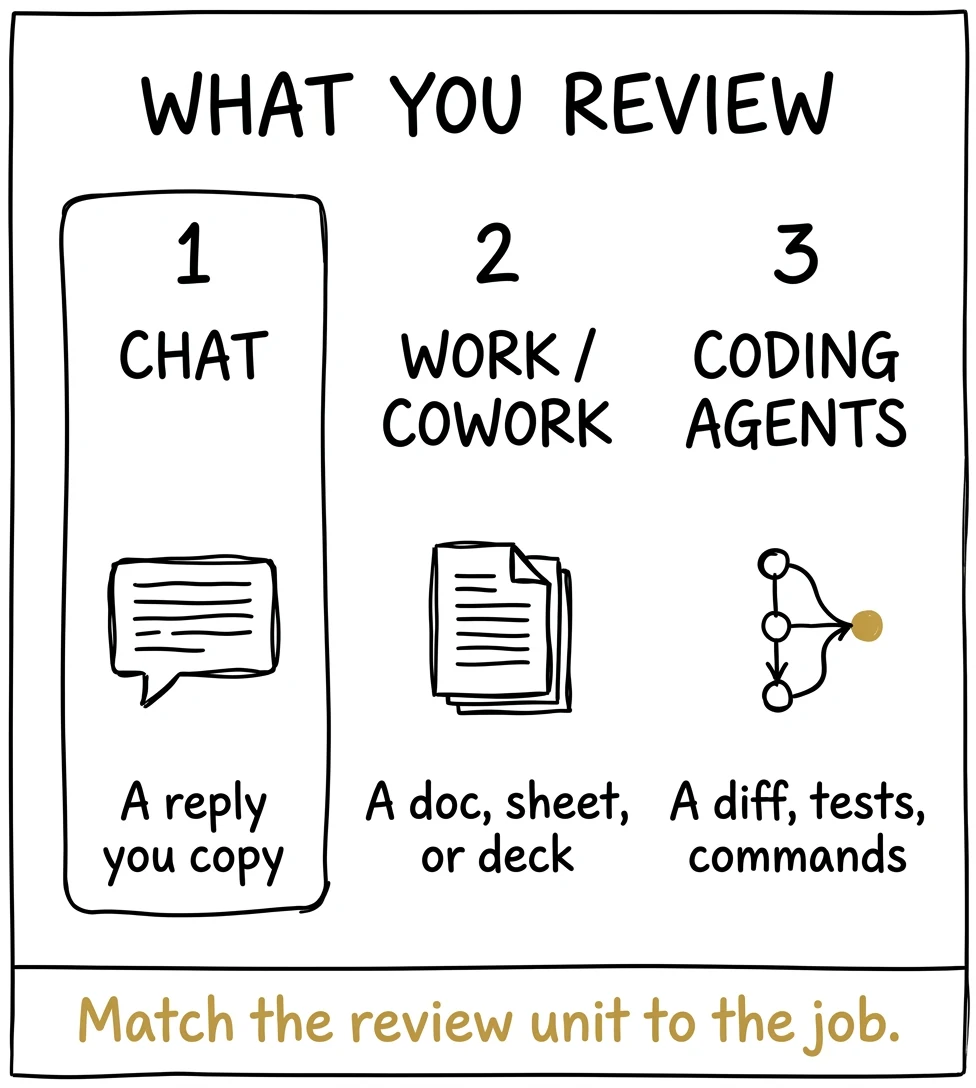
The Power Ladder (with Chart)
Think of power as "how much of the job the machine finishes before you review."
| Level | Surface | What you review | Power for studios |
|---|---|---|---|
| 1 | Chat (ChatGPT or Claude.ai) | A reply you copy | Low (you finish everything) |
| 2 | ChatGPT Work / Claude Cowork | A doc, sheet, deck, or finished workflow | Medium (feet wet) |
| 3 | Codex / Claude Code | A diff, tests, commands, reusable skills | High (full power) |
Brock Mesarich's July 2026 breakdown says it out loud: ChatGPT Work is "basically the Codex app, but for non-technical people" (video, automatic captions). That matches how we teach studios: use Work to feel agents, then graduate.
What Official Docs and Current Comparisons Agree On
Across official product docs and current independent comparisons, one practical split holds: Work and Cowork finish business artifacts, while Codex and Claude Code change technical systems. The useful question is where the source of truth lives and what you can review safely.
- Connected apps and business artifacts: ChatGPT Work is built around finished docs, sheets, decks, Sites, plugins, and scheduled work.
- Local files and knowledge work: Claude Cowork is the file-first handoff for reports, spreadsheets, folder jobs, and reviewable workflows.
- Websites, automations, and code: Codex and Claude Code work in repositories and return diffs, commands, and verification.
Independent comparisons from Tossitt, dreaming.press, and Composio reach the same answer from different tests: pick by where the work lives and by the review unit. OpenAI's official Work walkthrough shows the same handoff in practice. That is why Photography to Profits teaches a ladder, not a universal winner.
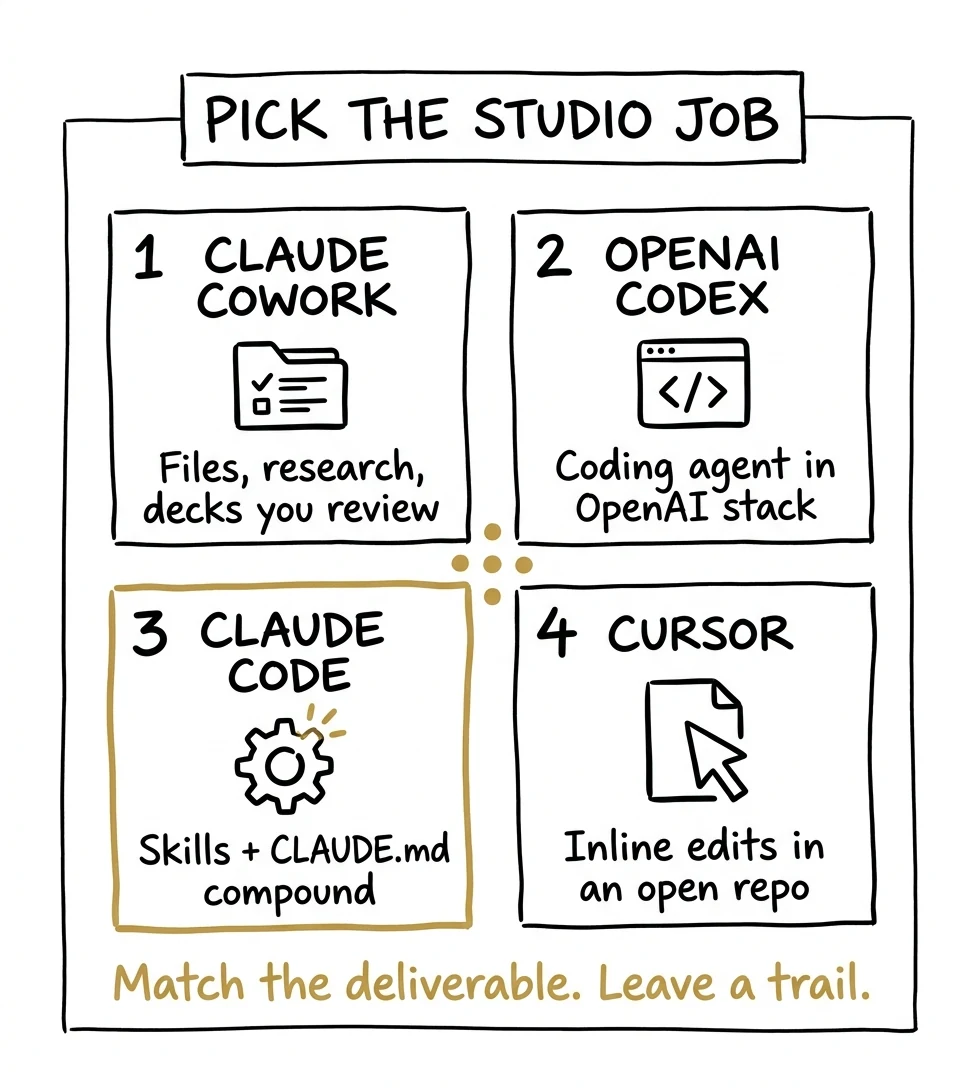
Side-by-Side Table
| Surface | Center of gravity | Best output | Weak fit | Docs |
|---|---|---|---|---|
| Chat | Conversation | Ideas, scripts, explanations | Shipping without you copying | ChatGPT · Claude |
| ChatGPT Work | Connected apps + business artifacts | Docs, sheets, slides, Sites, scheduled tasks | Your forever studio OS | OpenAI launch · What's new |
| Claude Cowork | Files, tools, parallel permissioned work | Briefs, decks, folder pipelines, recurring ops | Deep deploys without Claude Code | Cowork |
| OpenAI Codex | Repositories and engineering delivery | Code changes, reviews, tests | Being your only memory if skills live in Claude | Codex · Prompting |
| Claude Code | Project OS: skills, CLAUDE.md, hooks, MCP | Websites, automations, reusable studio skills | One-off chat with no files | Overview · Skills |
| Cursor | AI IDE mid-edit | Inline edits in an open repo | Owners with no codebase | Cursor |
Six Beginner Mistakes That Waste Studio Time
- Collecting tools instead of finishing a job: pick one overdue studio task, finish it, and save the working process before testing another agent.
- Giving a vague handoff: name the deliverable, the source files, the constraints, and the point where you want to review.
- Dumping every file into context: give the agent the smallest useful set. An uncurated archive makes the result slower and harder to verify.
- Skipping the review unit: decide whether you expect a reply, a finished file, or a tested diff before you choose the tool.
- Using Work or Cowork for a real website change: once the task touches a repository, move it to Codex or Claude Code so the change can be tested and reviewed.
- Using the biggest model for every task: save premium reasoning for strategy, synthesis, and hard implementation. Folder sorting and simple extraction do not need it.
ChatGPT Work: Feet Wet, Then Graduate
ChatGPT Work gathers context from files and plugins, takes action across workflows, and creates reviewable documents, presentations, spreadsheets, Sites, and other finished work. It can stay with a project for hours while you steer and approve (ChatGPT Learn). The ChatGPT desktop app now keeps Chat, Work, and Codex as related but separate surfaces.
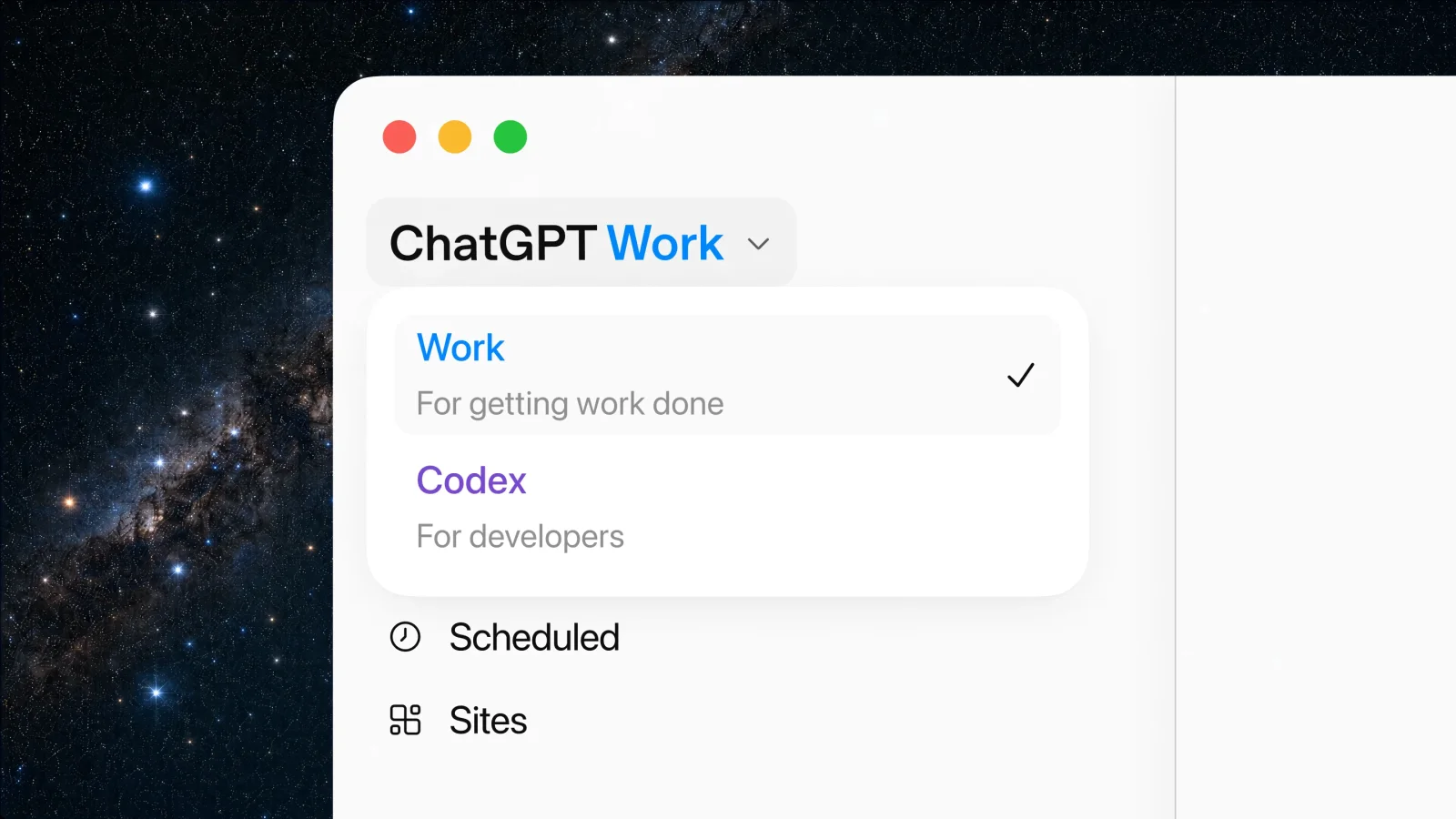
Official ChatGPT Work desktop picker (OpenAI), showing Work for finished business tasks and Codex for developer work.
For beginners that means:
- Chat for thinking
- Work for finished non-coding (and light product) jobs
- Codex when the finish line is a real code change
Our studio recommendation: run one real Work job so you feel the agent. Do not park your website OS there.
Claude Cowork: Files and Permissioned Processes
Claude Cowork is Anthropic's work agent across desktop, web, and mobile: hand off a goal, watch steps, review polished work, schedule tasks, run parallel chunks. Independent guides emphasize local-file strength and approval gates.
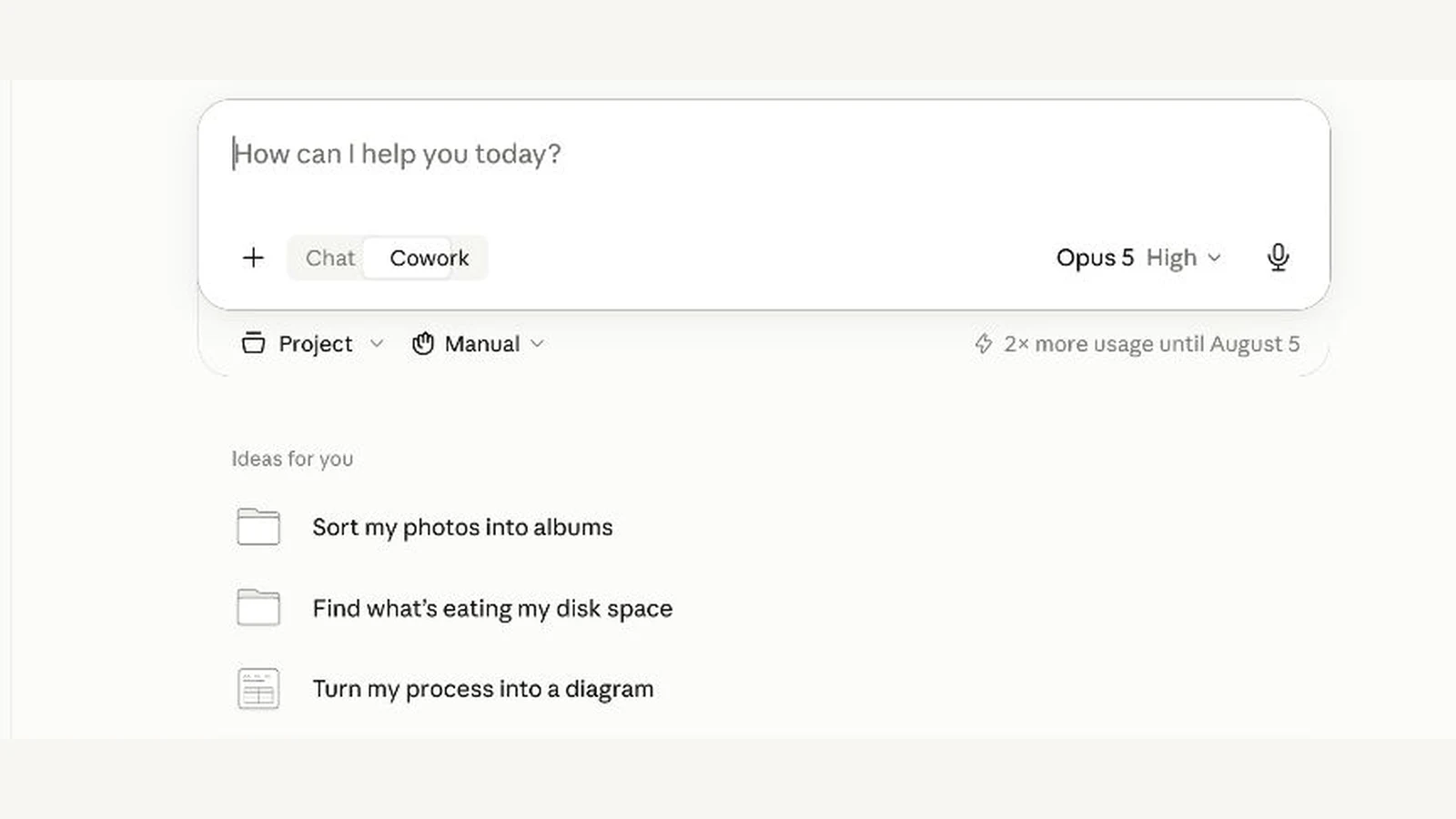
Live Claude Cowork interface, captured July 28, 2026. Its photo-sorting starter task makes the file-first use case concrete for a studio owner.
Studio fits: competitor briefs, weekly metrics decks, folder cleanup, research that should land as a file on disk.
OpenAI Codex: Substantial Coding Work
Codex is OpenAI's coding agent across CLI, IDE, cloud, and the ChatGPT desktop Codex view. Prompt like an engineer: name the behavior, point at code or reproduction steps, keep constraints clear, say how to verify (prompting guide).
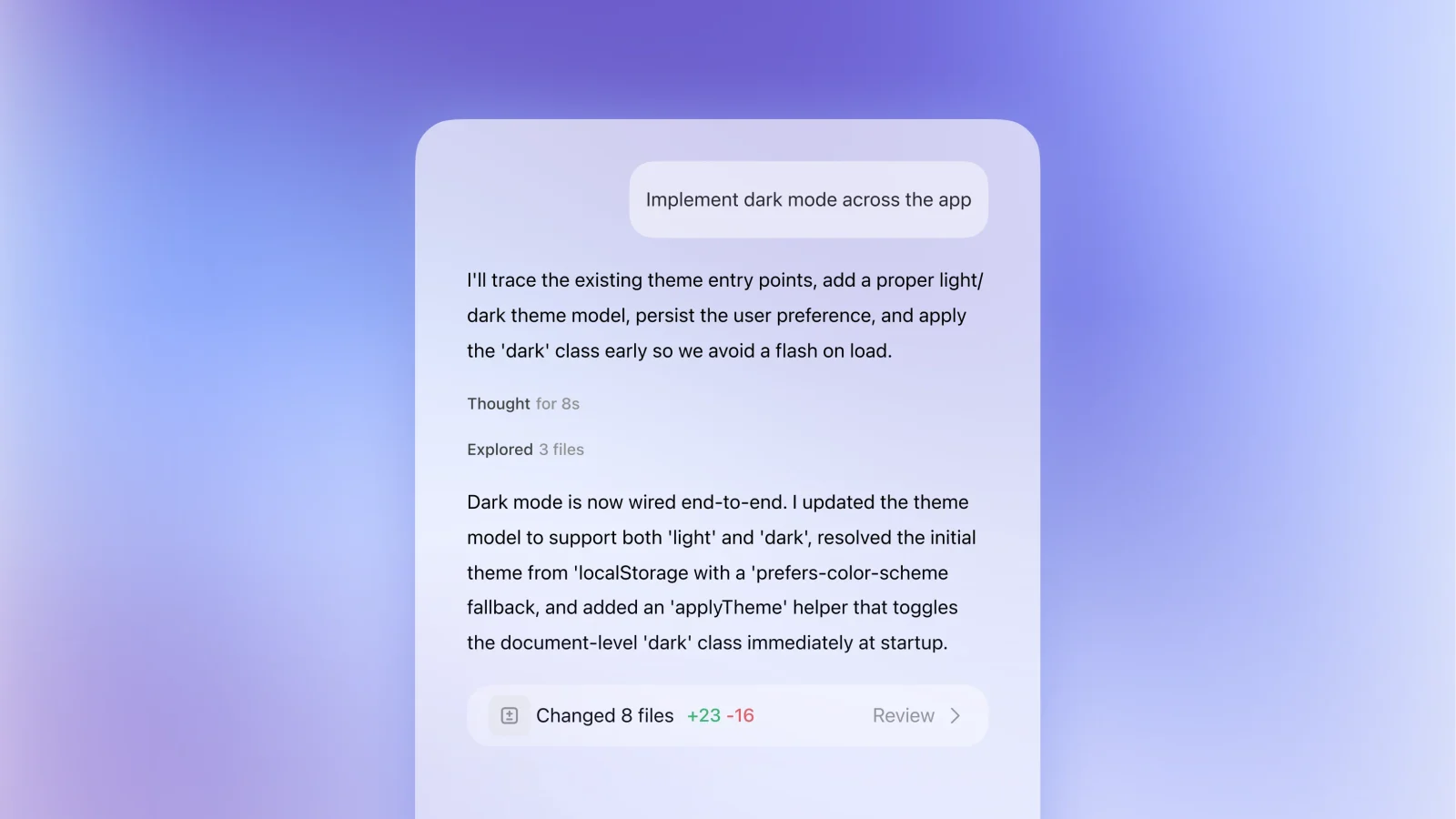
Official Codex product UI (OpenAI), showing the review unit that matters: a completed task plus the files changed.
Claude Code: Full Power for a Studio OS
Claude Code reads a project, edits files, runs commands, and compounds via CLAUDE.md, skills, hooks, and MCP. That is why we treat it as home base. Work and Cowork win individual jobs. Claude Code wins the trail.
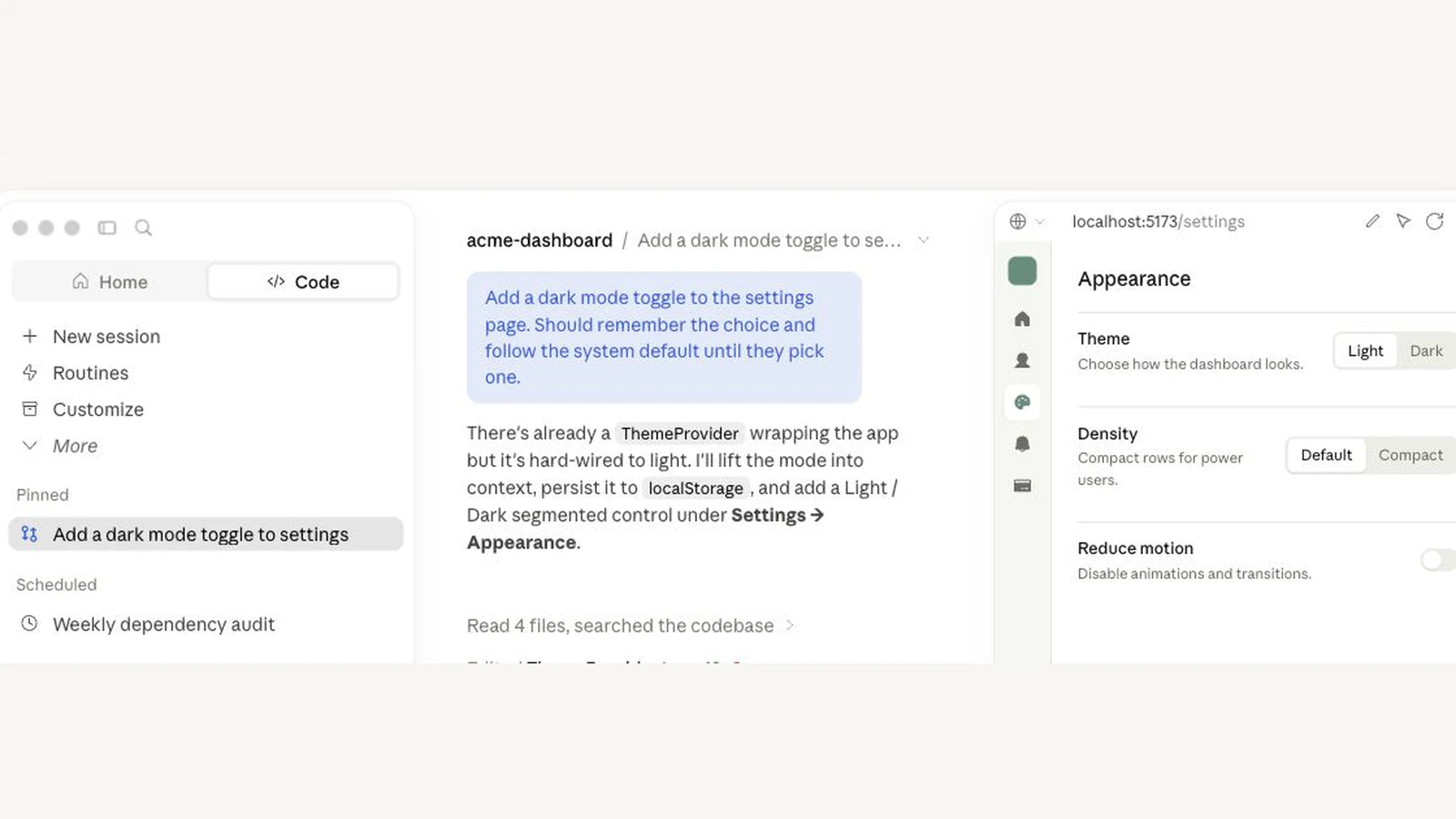
Official Claude Code product demo (Anthropic), showing the code task, project trail, and live preview in one review surface.
Studio Scenarios
| Studio job | Start | Graduate to |
|---|---|---|
| Rewrite offer language in plain English | Chat | Stay in Chat |
| Competitor teardown → one-page brief | Work or Cowork | Skill after you do it once |
| Monday metrics slides from CSVs | Work or Cowork | Automate pulls in Claude Code |
| Fix broken booking form on the marketing site | Claude Code or Codex | Save the fix pattern as a skill |
| Inline edit while the repo is already open | Cursor / IDE extension | Stay mid-edit |
The 60-Second Decision Rule
- Still brainstorming? Chat.
- Want finished files without a terminal, just to learn? Work or Cowork (then graduate).
- Need a real code or website change? Claude Code (Claude home) or Codex (OpenAI home).
- Already mid-edit in a repo? Cursor is fine.
- Will you repeat it next month? Do it manually once, then save a skill.
Official + Research Links
Official
- OpenAI: ChatGPT for your most ambitious work
- ChatGPT Learn: What's new
- OpenAI Codex docs
- Codex prompting
- Unrolling the Codex agent loop
- Claude Cowork
- Claude Code overview
- Claude Code skills
- CLAUDE.md memory
- ChatGPT pricing · Claude pricing
Independent research (non-photography)
- Tossitt three-way comparison
- dreaming.press file agent vs app agent
- Developers Digest Work vs Cowork
- Composio Work vs Cowork
YouTube (latest)
- OpenAI: Get started with ChatGPT Work
- OpenAI: Introducing ChatGPT Work
- Brock Mesarich: Work vs Cowork
- Corey McClain: Work vs Cowork
- Nate Herk: Claude Code vs Codex (100 hours)
Frequently Asked Questions
Should beginners start with ChatGPT Work?
Yes, if you already pay for ChatGPT and have never used an agent. Feel it once. Then graduate to Codex or Claude Code for power work.
Is Work the same as Codex?
No. Work is the broader finish-the-project agent. Codex is the coding specialist. Work borrows Codex-style agent tech; Codex still has more coding power.
Is Cowork the same as Claude Code?
No. Cowork hands back files and workflows. Claude Code owns the project with skills and memory.
Do I need both Claude and ChatGPT?
No. Pick a home base. We run on Claude Code. OpenAI is fine if that is already your stack.
Should a photographer use Claude Cowork or Codex?
Use Claude Cowork when the finish line is a file, deck, spreadsheet or scheduled workflow, and Codex when the job changes your website, automation or code. Cowork fits studio jobs like competitor briefs, weekly metrics decks, folder cleanup and research that lands as a file. Codex works in a repository and returns diffs and tests. Pick by where the work lives and what you need to review, not by brand.
Is Claude Code or Codex better for a photography studio website?
Neither wins outright. Both are coding agents that work in a repository and return changes you can test and review. Choose Claude Code if your studio lives in Claude and Codex if it lives in OpenAI. We use Claude Code as our home base because it builds a reusable trail through CLAUDE.md, skills, hooks and MCP, so a fix you make once can be saved and reused.
What's the difference between an AI chat and an AI agent for my studio?
With chat, you go back and forth, the AI answers, and you still do the real work in Docs, Canva, your CRM or your website builder. With an agent, you describe an outcome, and it plans, uses tools, edits files or browses, then brings back work for you to review. You approve the important actions instead of typing every intermediate prompt.
What mistakes do photographers make when they start using AI agents?
The most common is collecting tools instead of finishing one job. Others: a vague handoff that doesn't name the deliverable, files, constraints and review point; dumping every file into context; not deciding whether you expect a reply, a file or a tested diff; using Work or Cowork for a real website change; and using the biggest model for simple jobs like folder sorting.
Conclusion: Pick the Review Unit Before the Brand
For a photographer deciding between Claude Cowork and Codex, the answer is not a universal winner. Pick Cowork or ChatGPT Work when you need a reviewable file, deck, sheet, or scheduled business workflow. Pick Codex or Claude Code when you need a tested change to the website, automation, or codebase.
I am Humberto Garcia, founder of Photography to Profits, and I use Claude Code as our home base because studio systems should leave a reusable trail: rules, skills, diffs, and verification. Your next move is simple. Choose one real studio job, decide whether the review unit is a file or a diff, and open the tool built for that finish line.