
Hey. Meta ads don't usually break all at once. They wear out. The same ad shows to the same people a few too many times, the cost per lead creeps up a few dollars a week, and by the time anyone notices, a month of budget has gone to people who already scrolled past.
That's why we check Meta ads on Facebook and Instagram every morning instead of every Friday. In April 2026 Meta released its own way for AI apps like ChatGPT and Claude to plug straight into your ad account. We'd already built our own. This post explains both in plain English: what Meta's connector can do, what it can't yet, how to turn it on for your studio, and why we still run ours.
I'm Humberto Garcia, founder of Photography to Profits. Here's my stand: let an AI check your Meta ads every morning, but don't hand it the keys to your budget.
Key Takeaways
- Meta's Ads MCP is an official bridge between your ad account and an AI app like ChatGPT, Claude or Claude Code. It's been in open beta since April 2026.
- It can read your results and build campaigns, ads and audiences. Everything it creates starts paused, and you approve each action.
- Many advertisers report they can't use it yet, and agencies need extra approval from Meta to use it on clients' accounts.
- We built our own because we manage many studios: one sign-in, one log of every action and the same guardrails across Meta, Google and everything else.
A 30-second refresher: what's an MCP?
An MCP is a standard plug that lets an AI app use another tool. The AI asks in plain English, the MCP turns that into the exact request the tool understands, and the answer comes back in plain English. If you want the full explanation from zero, read how we built our Google Ads MCP first. This post is about the Meta side.
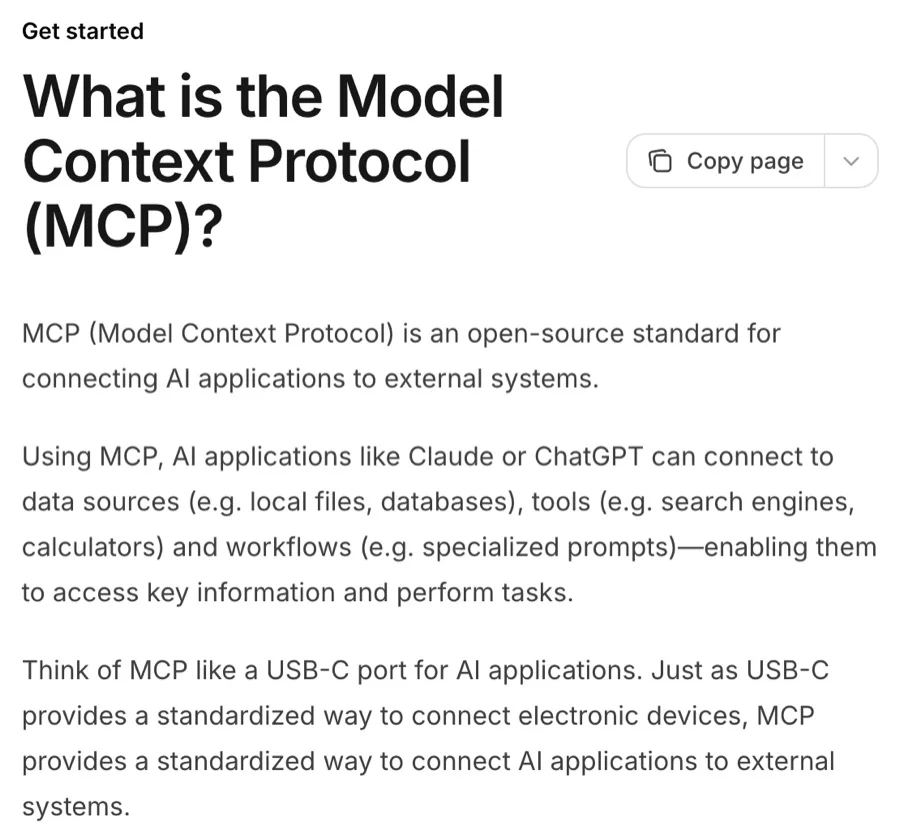
Screenshot of modelcontextprotocol.io, CC BY 4.0.
What is Meta's Ads MCP?
It's Meta's own connector for AI apps. Meta announced it on April 29, 2026, together with a command-line tool for developers. It lives at one web address, and you add that address to your AI app. Meta lists four apps it supports today: ChatGPT, Claude, Claude Code and Perplexity.
Screenshot of Meta's announcement.
What it can do
Once it's connected, you can ask your AI app things like "Which ad had the cheapest leads last week?" or "Draft a new campaign for my newborn sessions." According to Meta's help article, it can:
- Report: read spend, results and costs for your campaigns, ad sets and ads.
- Build: create and edit campaigns, ad sets and ads, upload images and video, and set up audiences.
- Check your tracking: look at the health of your pixel and conversion signals. Not tracking leads yet? Start with our free GA4 tracking template.
- Test: set up A/B tests and read your account's activity log.
An AI only helps if the campaign underneath is sound. New to Meta ads? Read 11 things I wish I knew before my first Facebook ad and our Facebook ads guide for photographers.
How it stays safe
Meta built in three guardrails, and they're good ones. Try them below.
Set the rules before you connect anything. If a budget cap is in place, an AI that misreads you can't spend past it, even if you say yes by accident.
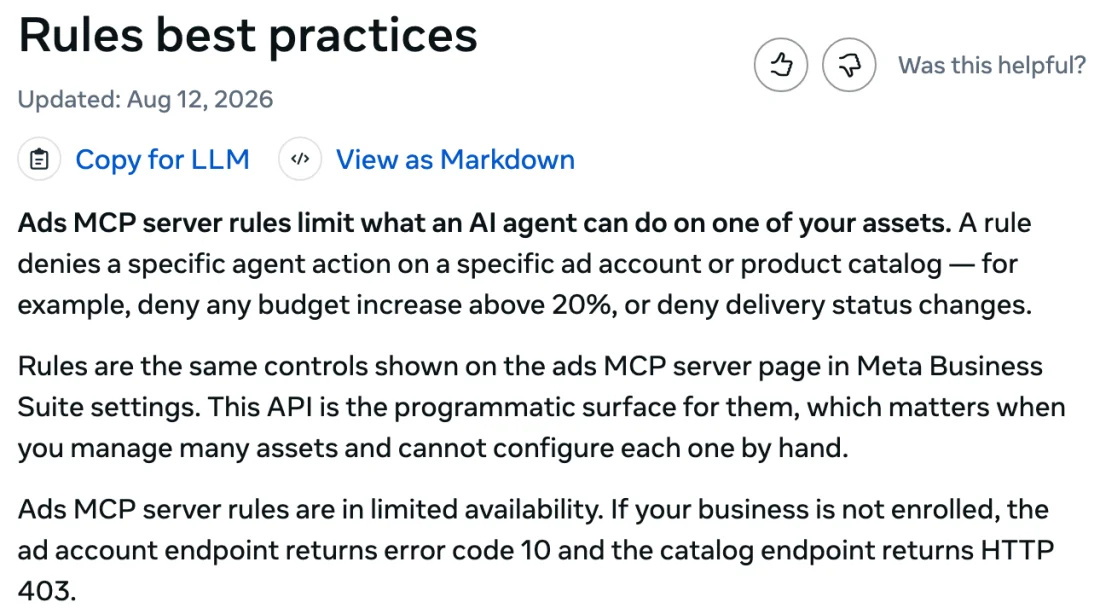
Screenshot of Meta's rules guide.
What it can't do yet
- It's still a beta. Meta hasn't announced a finish date or pricing. You still pay for your ads and your AI subscription.
- Your account may not have it yet. Many advertisers report signing in fine and then seeing a message that it's "gradually being rolled out." There's no switch to skip the line.
- Agencies need Meta's approval. To use it on other businesses' accounts through a developer app, an agency has to pass Meta's App Review for a special permission. A studio managing its own account doesn't.
- The admin rules aren't everywhere yet. If you don't see the Ads MCP server page in Business Suite, your business doesn't have the rules feature yet.
How to set it up for your studio
Meta's setup guide has the exact steps for each app. For Claude Code and ChatGPT it walks you through using your own Meta developer app.
Why we built our own, and still use Meta's
Meta's connector is built for one business looking after its own ads. We look after Meta ads for many photography studios, so we needed something different. We built it into Agency OS, our agency software, on top of Meta's official Marketing API.
- One door for every studio. Our team signs in to Agency OS once. Agency OS holds a single encrypted connection to Meta, and each studio's ad account is tied to that studio. Ask for the wrong account and the request is refused.
- A record before every action. Before anything reaches Meta, Agency OS writes down who asked, for which studio, on which ad account, and what it's about to do. If something looks off later, there's one place to look.
- Proof Meta saved what we sent. After we create a campaign, ad set or ad, we read it back from Meta and compare it field by field. If anything doesn't match, the job fails loudly instead of quietly.
- Paused by default. Like Meta's connector, everything we create starts paused. Switching an ad on is its own permission.
- One connection for the whole team. Each of our teammates signs in to Agency OS once. Behind that one sign-in sit 20 connections the agency keeps up to date, from Meta and Google Ads to ElevenLabs, Vimeo and Notion, plus our knowledge base. Nobody keeps their own Meta login for every studio or an API key on their laptop, and when someone leaves, we turn off one account. (Gmail and Calendar stay personal: each person connects their own.)
- Any AI can use it. Claude, Claude Code, ChatGPT and Codex connect with their own sign-in, and Grok runs our scheduled routines.
Ours is smaller. When we connected Meta's own Ads MCP this month, it listed 97 tools. Ours has 21 Meta jobs. Tap a row to see what's in each group.
For pixel checks, audiences and tests, we use Meta's connector too. We run both, and we're closing the gaps that matter most to studios, starting with pixel and conversion data.
How AI changes what we can afford to check
We build almost everything with AI now: the connector itself, the morning checks, even the figures in this post. Claude Code and Codex write and test the code. ChatGPT and Grok handle research and scheduled routines. Here's our whole AI stack. That speed is what lets us check every account every morning instead of once a week.
Most of our engagements run $2,000 to $5,000 a month, plus the ad budget you pay Meta and Google directly. If a person did every one of these checks by hand, every morning, on every account, my estimate is we'd have to charge closer to $7,000 a month. AI doesn't replace the person who says yes. It does the reading, so that person's time goes to decisions.
Want this on your Meta ads? We'll set it up, check it every morning and bring you every decision. Photographers only.
See Meta ads management →Check your understanding
Five questions. Each one tells you right away whether you got it. Your answers stay on this page.
Frequently Asked Questions
What is Meta's Ads MCP?
It's Meta's official connector that lets an AI app read and work in your Meta ad account. Meta announced it on April 29, 2026, as an open beta, and lists ChatGPT, Claude, Claude Code and Perplexity as supported apps. You add one web address to your AI app as a connector, sign in with Meta, and ask about your ads in plain English.
What can Meta's Ads MCP do with my Facebook and Instagram ads?
It can report, build, check tracking and run tests. According to Meta's help article, it reads spend, results and costs for campaigns, ad sets and ads; creates and edits campaigns, ad sets and ads; uploads images and video; sets up audiences; checks the health of your pixel and conversion signals; and sets up A/B tests. You could ask which ad had the cheapest leads last week.
Is it safe to let ChatGPT or Claude manage my Meta ads?
It's safe to let an AI check your ads, but don't hand it the keys to your budget. Meta's connector creates new campaigns, ad sets and ads paused, and your AI app asks before switching anything on. A business admin can also block actions and cap budgets in Meta Business Suite, so an AI that misreads you can't spend past the cap.
How do I connect Claude or ChatGPT to my Meta ad account?
Set the rules first, then connect. In Meta Business Suite, open Settings, Integrations, Ads MCP server, set a budget cap, and block campaign creation if you only want reports. Then add Meta's Ads MCP address as a custom connector in your AI app and sign in with the Facebook account that manages your ads. Start with questions only, then approve each change yourself.
Why can't I use Meta's Ads MCP on my account yet?
Because it's a beta that is still rolling out. Many advertisers report signing in fine and then seeing a message that it's being gradually rolled out, and there's no switch to skip the line. If you don't see the Ads MCP server page in Business Suite, your business doesn't have the admin rules feature yet either.
Does Meta's Ads MCP cost anything?
Meta hasn't announced pricing for it, or a date for the beta to end. For now, you still pay for your ads as usual and for the AI app you connect, such as ChatGPT or Claude. The connector is a way to read and draft inside your account, not a replacement for ad spend.
Can my marketing agency use Meta's Ads MCP on my ad account?
Not without extra approval from Meta. To use the connector on other businesses' accounts through a developer app, an agency has to pass Meta's App Review for a special permission. A studio managing its own ad account doesn't need that review. It's one reason we built our own connector into Agency OS, on Meta's official Marketing API, for the studios we manage.
How often should I check my Facebook ads as a photographer?
Daily beats weekly. Meta ads rarely break all at once; they wear out. The same ad shows to the same people too many times, cost per lead creeps up a few dollars a week, and by the time anyone notices, a month of budget has gone to people who already scrolled past. That's why we check studios' Meta ads every morning instead of every Friday.