
Hey. If you have been watching people talk about Claude Code and thinking "that is a different kind of person," this one is for you.
Claude Code is the tool a lot of advanced users live in. Codex sits in that same family. Both can feel like a cockpit. Fine if you like that. Most studio owners I know do not. You already spent Saturday in a session. You do not want Sunday night to be a software class.
Grok Bot is the other door. It looks more like texting a teammate in iMessage. You give someone a name and a job. You message them. They can even message each other, so you are not forwarding screenshots at 10 p.m. I am Humberto Garcia, founder of Photography to Profits. This is how I would explain it to a friend who just wants the inbox quieter.
Key Takeaways
- Grok Bot is a small staff of named AI teammates you text like people. They can work in the websites you already use, and they can talk to each other.
- On x.ai/pricing (26 August 2026), SuperGrok at $30 a month does not include Grok Bot. SuperGrok Plus at $100 a month does. That is the Grok-side floor. SuperGrok Heavy also includes it.
- Humberto Garcia of Photography to Profits would hire a chief of staff plus a few specialists (inquiries, client desk, Google listing, social drafts, gallery traffic, numbers), and would require a yes before any email, post, or live gallery change.
- Action step: confirm SuperGrok Plus or Heavy, download the app, paste the studio setup prompt, and watch the first week like a new associate.
What is Grok Bot for photographers?
Grok Bot for photographers is a Mac, Windows, and iPhone app where you hire named AI teammates and message them like staff. You subscribe, download, sign in, and give each one a job. They keep working when your laptop is closed. xAI launched it on 11 August 2026 as an early beta.
This is the official launch film from @bot. Watch it here, then keep reading.
What the video shows: named AI teammates, a chief-of-staff pattern, and Bots doing real work in the tools you already use.
What it does not prove for Photography to Profits: dollar figures, headcount, or "it replaced my whole team." Your proof is whether Inquiries drafts a better first reply than you do after a session.
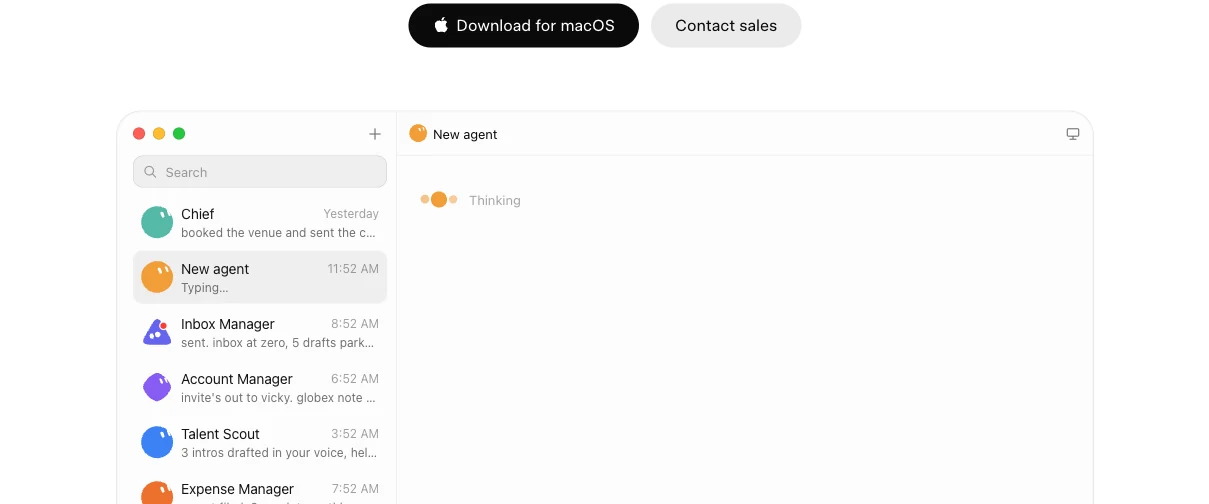
Official Grok Bot app (x.ai/bot). It looks like a staff chat. That is the point.
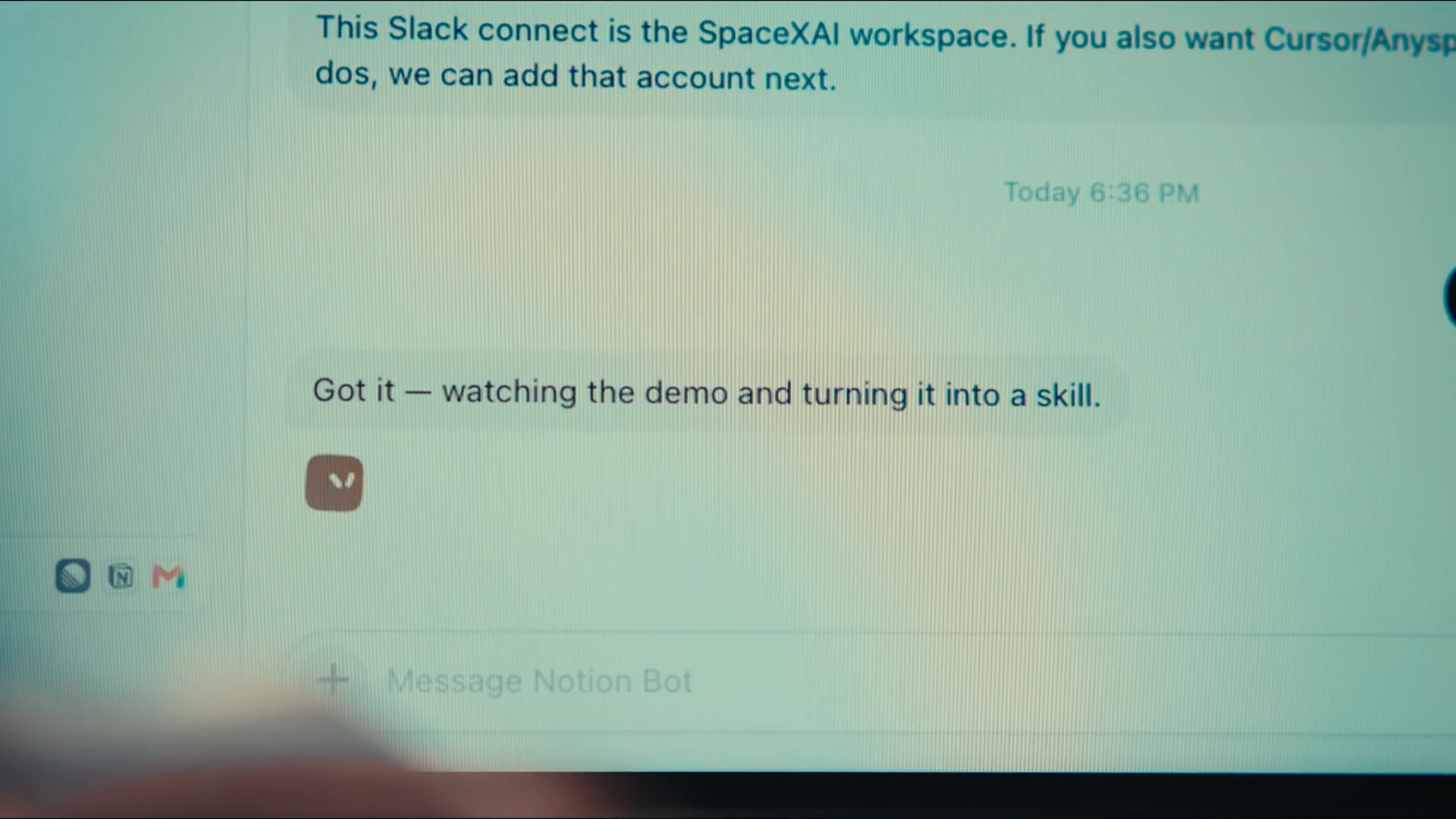
Official product video, in-action: a conversation, not a dashboard full of knobs.
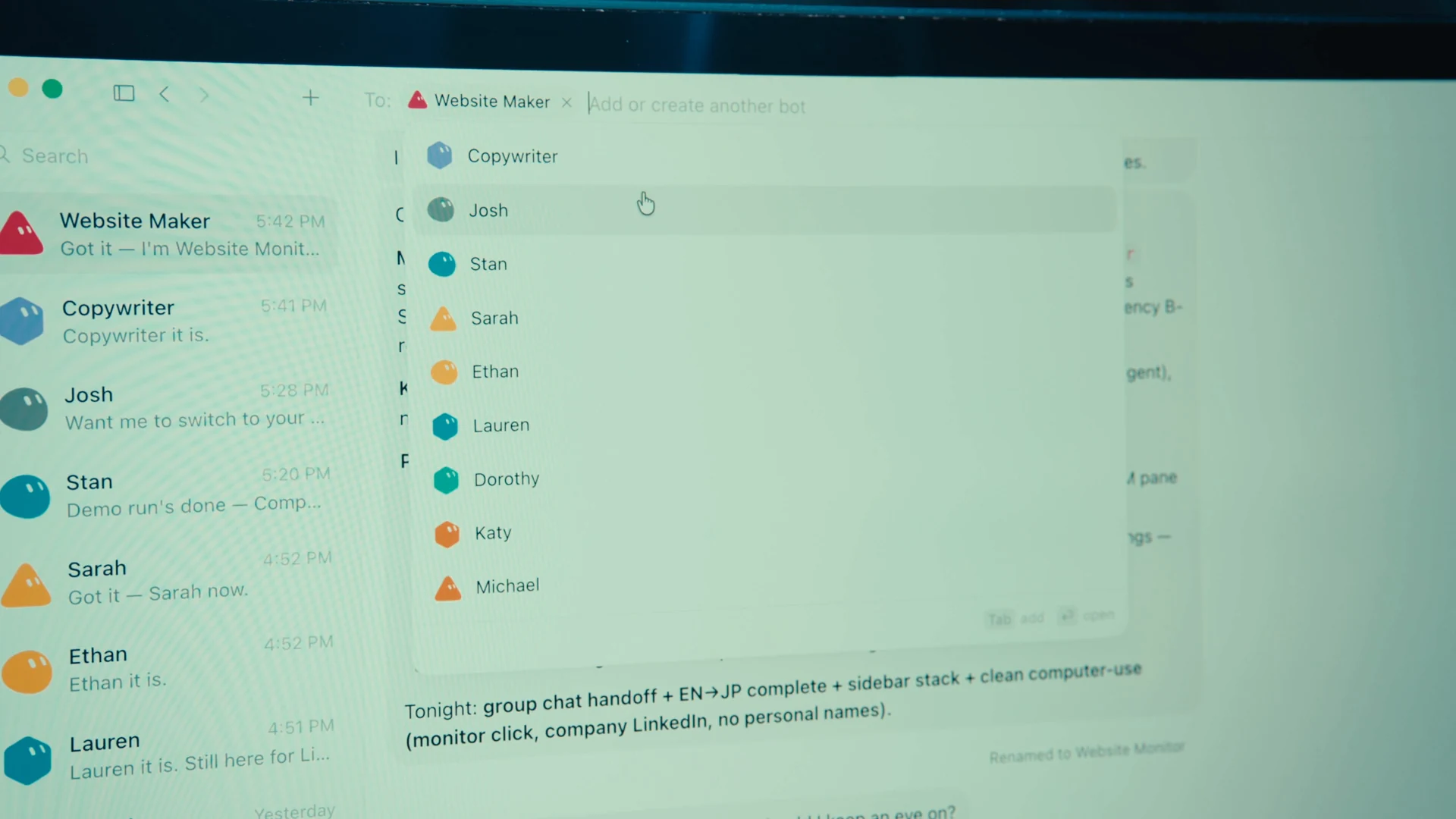
Official product video: you can drop more than one Bot in the same thread. They hand work off. You are not the middleman.
Claude Code is the advanced path. This is the friendlier one.
If you hang around photographer Facebook groups or AI Twitter, Claude Code is the name that keeps coming up for people who like to go deep. Codex and Cursor sit in that same advanced-user lane. You do not have to become that person this week.
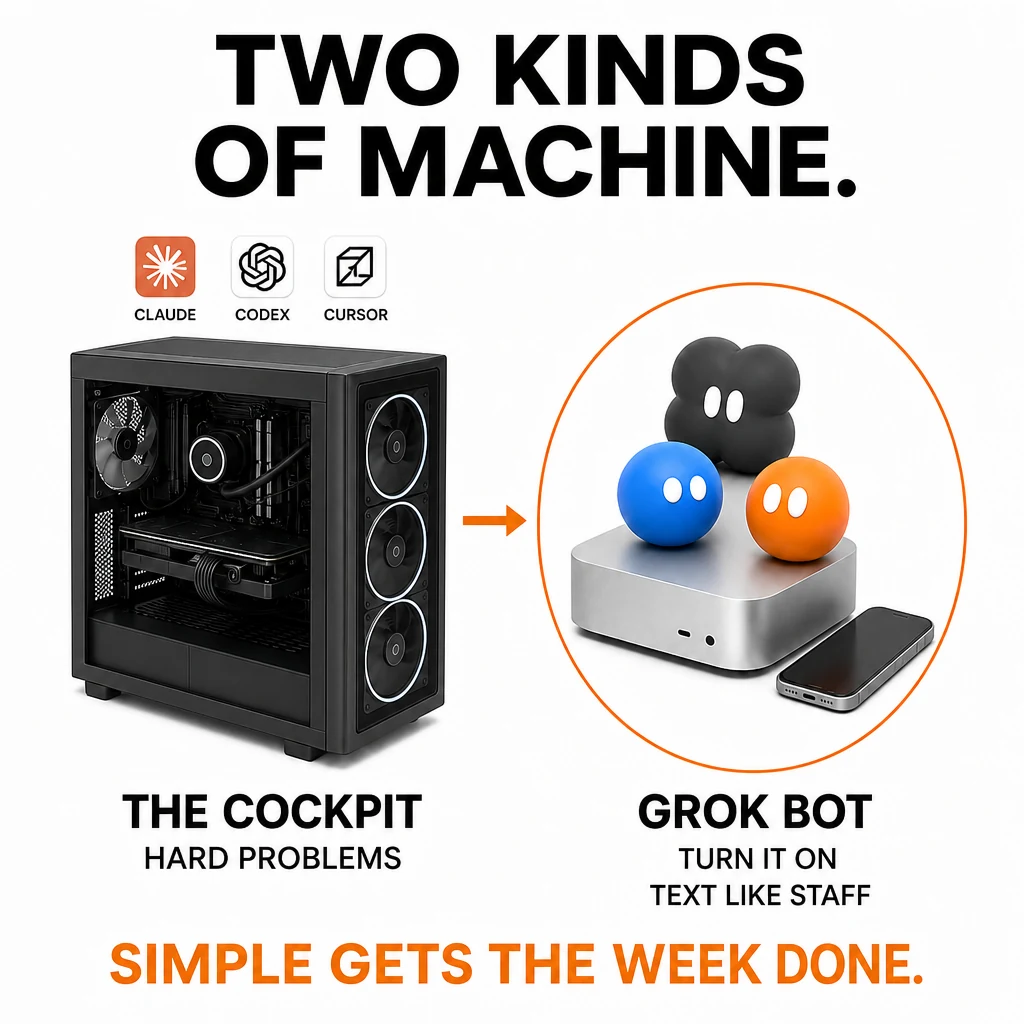
Left is Claude, Codex, and Cursor. Right is Grok Bot. Same week of studio work. Different machines.
Here is the human version. The left tower is the advanced path: Claude Code, Codex, and Cursor. You sit in that machine. You like hard problems and file armies. Fine if that is you. We already compared those tools in Claude Cowork vs Codex and Claude Skills for Photographers.
The right side is Grok Bot. That is a Mac you turn on and a phone you already have. You text named teammates like staff. They keep working in the cloud after you close the lid. Pick the one that matches Sunday night after a Saturday session, not the one that looks impressive in a Facebook group.
Grok Bot is built for the rest of us. You talk in plain English. You see a chat list. You approve the things that leave the building. Same phone you already use for clients (iOS 18 or later). Linux phones and iPad were not supported at launch.
What it costs, in English
You pay a monthly subscription and download an app. On Grok's own pricing page, the cheap SuperGrok plan at $30 a month is chat. It does not include Grok Bot. The first Grok plan that lists Bot is SuperGrok Plus at $100 a month. SuperGrok Heavy also includes it. The Individual cards did not print a Heavy dollar amount, so I am not inventing one.
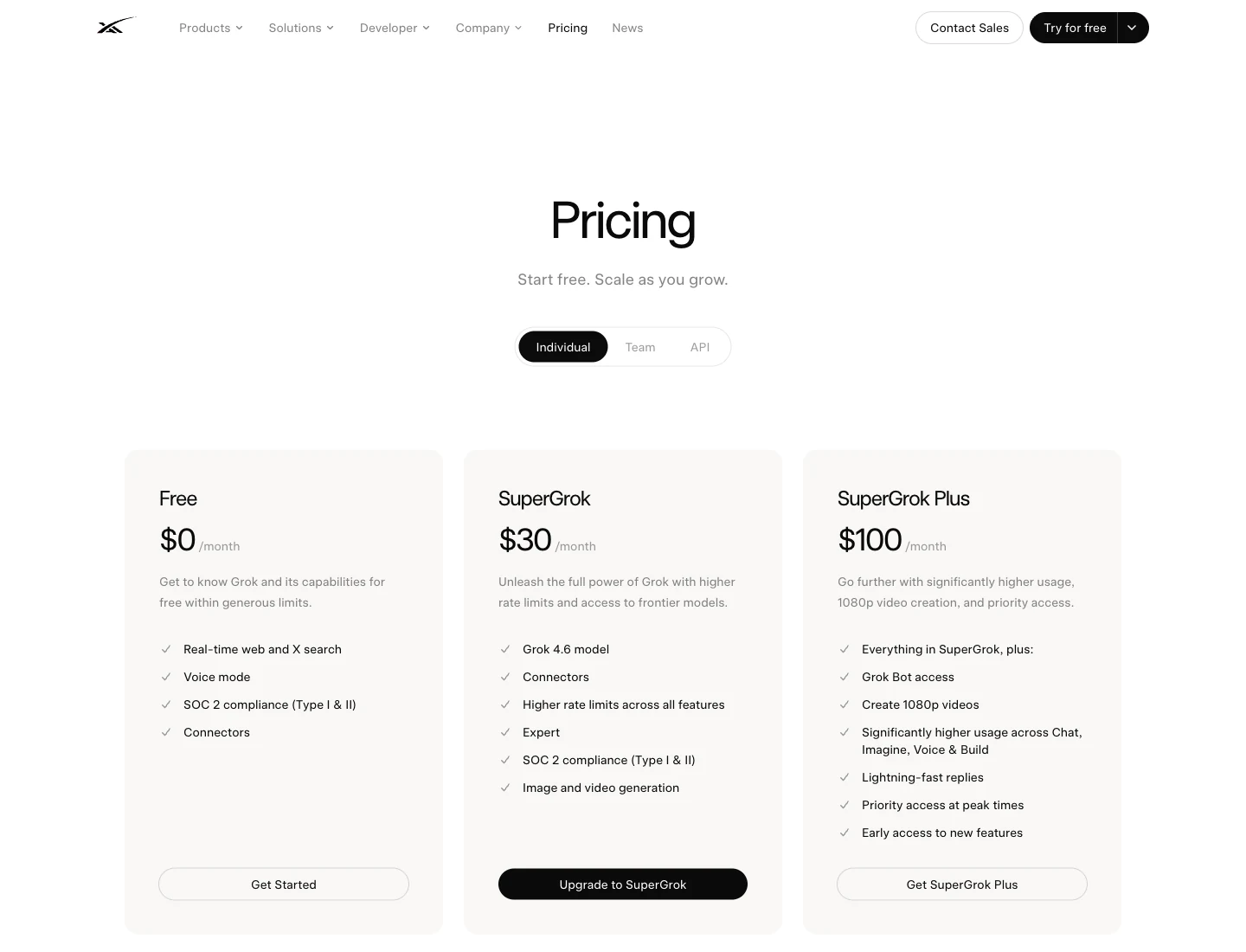
x.ai/pricing, 26 August 2026. Read the Plus card. That is the $100 floor.
| Plan | Price we saw | Grok Bot? |
|---|---|---|
| SuperGrok | $30 / month | No |
| SuperGrok Plus | $100 / month | Yes. Start here on Grok. |
| SuperGrok Heavy | Not printed on the Individual cards | Yes |
Some people already pay Cursor. On Cursor's pricing page (26 August 2026), Cursor Teams at $40 per user per month lists Grok Bot access. Check the download page for your actual plan before you buy a second SuperGrok subscription. Photographers: pick one door, then live in the app.
If you want a human to look at whether this belongs next to your ads and website, or whether those still need work first, that is a strategy call.
Book a strategy call →Hire a small studio staff, not one "do everything" helper
Give each Bot one job. xAI's own examples use names like Chief and Inbox Manager. Here is the roster I would stand up for a portrait studio. Change the names. Do not change the approval column.
| Name | Job | What they touch | Needs your yes before |
|---|---|---|---|
| Chief | Studio chief of staff | The group chat and a simple daily note | Anything that goes to a client or the public |
| Inquiries | New leads | Your inbox after a Saturday session | Sending the first reply |
| Client desk | Booked clients | Questionnaires, reminders, gallery-ready notes | Emailing the client |
| Local presence | Google and your site | Google Business Profile, your website, competitor package pages | Publishing a post or a page |
| Social | Captions and ideas | Drafts from your own proofs | Posting as the studio |
| Gallery desk | Traffic cop, not the retoucher | Folder names and "still with retouch" notes in Lightroom, Capture One, Adobe, or Canva | Touching masters or calling a gallery finished |
| Numbers | The live screens | Ads or analytics pages you already log into | Changing budgets |
Gallery desk is the honest line. It can keep a cull list and tell you which set is still sitting. It is not your color and skin work unless you are willing to own the misses.
Use Copy prompt at the top of the box, then paste it into Grok Bot. Create the Bots first if you have not. Require your yes before send, publish, delete, purchase, or any live gallery change.
You are hiring a small studio team of Grok Bots for a US portrait photography business.

Context:
- Owner is a photographer, not a programmer.
- We talk to Bots like texting a teammate. Keep it that simple unless I ask otherwise.
- All Bots share one cloud computer and therefore share browser logins. Treat every login as visible to every Bot.
- Tools we already pay for may include Google Business Profile, the studio website, Instagram, a CRM or inbox, Canva, Adobe, Lightroom or Capture One, and a gallery host. Use the live website or app. Do not invent a dashboard that is not there.

Hard rules for every Bot:
- Draft first. Never send email, DMs, texts, or social posts without my approval.
- Never publish, delete, purchase, change prices, change production galleries, or change ads without my approval.
- Passwords, 2FA, and CAPTCHAs: stop and ask me to take over the computer. Do not ask me to paste secrets in chat.
- If a site blocks you, say so. Do not try to bypass it.
- Separate facts you observed from guesses.
- Return a short summary plus links or screenshots of the source.

Create these Bots. One job each. Put the matching description on the Bot profile.

1. Name: Chief
   Job: Studio chief of staff
   Description: Route work to the specialist Bots. Keep a daily list of what moved, what is blocked, and what needs my yes. Never send anything outbound. Never be the only Bot with a client login.

2. Name: Inquiries
   Job: New leads
   Description: Watch new inquiries in the inbox or CRM. Draft a first reply in my voice. Flag spam, tire-kickers, and real portrait leads. Never send the reply. Never add someone to a sequence without approval.

3. Name: Client desk
   Job: Booked-client coordinator
   Description: Track questionnaires, contracts, session reminders, and gallery-ready notices for booked clients. Draft messages. Update a shared status note in /workspace. Never email the client without approval.

4. Name: Local presence
   Job: Marketing manager
   Description: Review Google Business Profile, the public website, and competitor pricing or package pages. Report what changed and what looks off. Draft GBP posts and website copy. Never publish.

5. Name: Social
   Job: Organic social
   Description: Draft captions, story ideas, and a simple weekly content list from our own proofs and blogs. Never post. Never comment as the studio.

6. Name: Copy
   Job: Copywriter
   Description: Write landing-page sections, email drafts, and ad primary text in a friend-to-friend voice. Short sentences. No hype adjectives. Cite any claim I did not give you.

7. Name: Gallery desk
   Job: Gallery traffic cop
   Description: Keep cull lists, folder names, export presets, and retouch status notes organized for tools we already use (Lightroom, Capture One, Adobe, Canva). You are not the retoucher of record. Do not claim a gallery is finished. Do not overwrite masters.

8. Name: Numbers
   Job: Analytics
   Description: Open the live ads, analytics, or CRM screens I point you to. Screenshot and summarize. If there is no API, use the website. Do not change campaigns or budgets.

When you are done creating them, put Chief, Inquiries, Client desk, Local presence, Social, Copy, Gallery desk, and Numbers in one group chat called Studio floor. First task for Chief: write a one-page studio operating note in /workspace that lists each Bot, its login needs, and its approval boundary. Stop there and show me the note.
They share one computer. That is the gift and the risk.
Every Bot on your account uses the same cloud computer. One login can serve the whole roster. That is why handoffs work. It is also why "separate Bots" are not a lockbox. Do not leave a client gallery host signed in if you would not hand that login to every teammate.
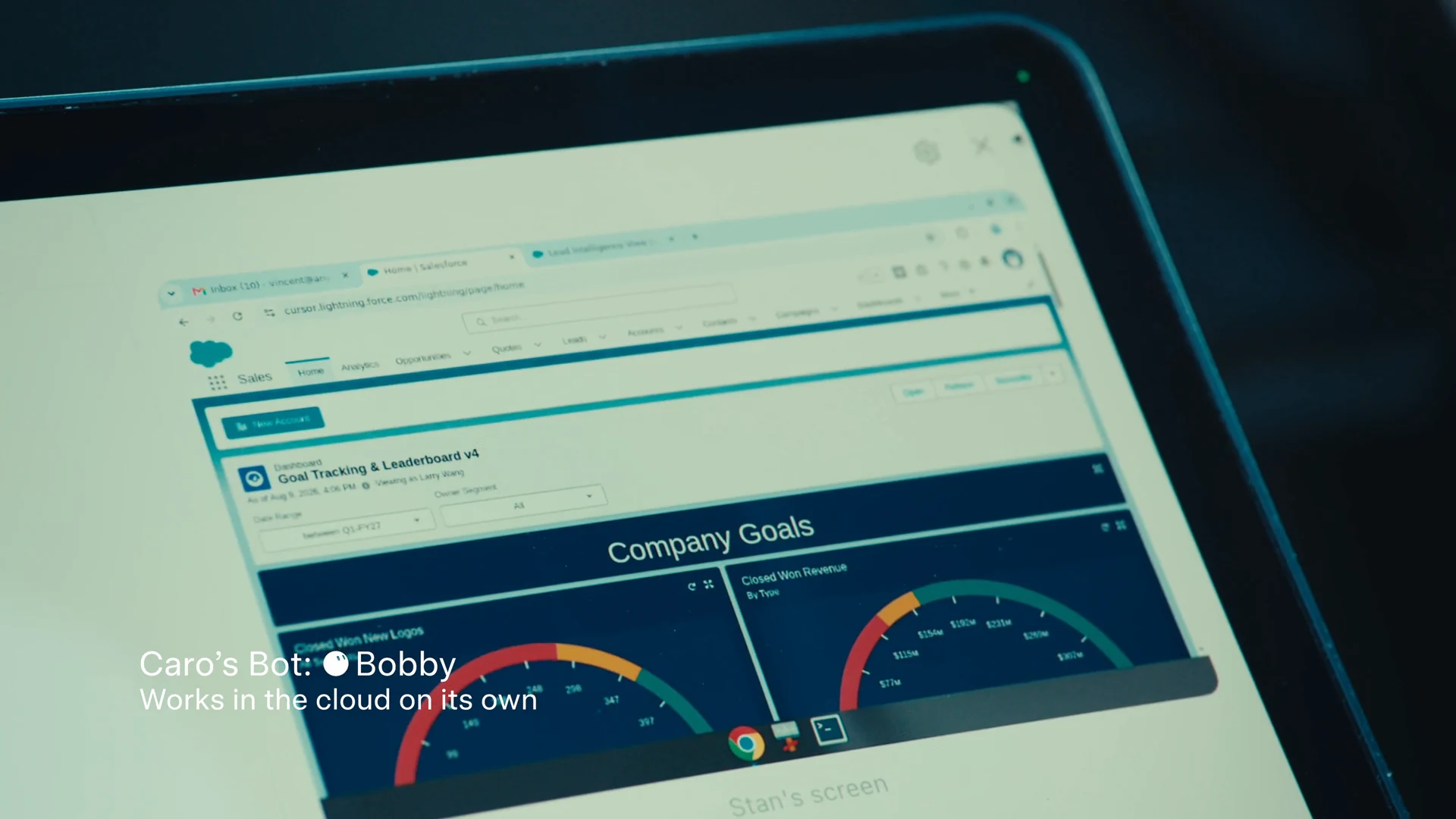
Official product video: the Bot is clicking a real website. Your version of this is Google Business, a gallery admin, or ads. When a password or a "prove you are human" box appears, you take over. Do not type secrets into the chat.
Standing rule on every Bot: draft first. Never send, post, delete, buy, or change a live gallery without your yes.
How to set up Grok Bot for photographers
Grok Bot for photographers is a paid subscription, a Mac, Windows, or iPhone app, and named AI teammates you message like staff. Confirm a plan that includes Bot, download the app, hire one job per Bot, paste the setup prompt, and keep the yes on every send. Do this in order.
- Confirm SuperGrok Plus, SuperGrok Heavy, or an eligible Cursor plan that lists Grok Bot access. SuperGrok at $30 a month is chat only.
- Download the app and sign in. Start on the computer you already own.
- Create named Bots with one job each. Do not hire one helper called Assistant.
- Paste the studio setup prompt. Put the roster in one group chat called Studio floor.
- Require your yes before any email, post, delete, purchase, or live gallery change.
- Teach one job, then put it on a schedule: Monday Google listing review, nightly inquiry triage, Friday galleries-still-sitting note. Test it on a fake client first.
Easy mistakes
- Paying $30 SuperGrok and wondering where the Bot app is.
- Hiring one helper named "Assistant" and giving it every job.
- Letting Inquiries or Social send on day one.
- Treating Gallery desk as a finished retoucher.
- Leaving every client login open, then being surprised every Bot can see it.
Frequently Asked Questions
Do I need to be technical?
No. If you can text a second shooter, you can message a Bot. Confirm SuperGrok Plus at $100 a month, SuperGrok Heavy, or Cursor Teams at $40 per user per month (the Cursor card that listed Grok Bot access on 26 August 2026). Download the app, and start with one job.
Is SuperGrok Plus $100 a month the cheapest Grok way in?
On x.ai/pricing on 26 August 2026, yes. SuperGrok Heavy also includes Bot. SuperGrok at $30 does not. Cursor Teams at $40 per user per month listed Grok Bot access the same day. Check the download page before you pay twice.
Can it run while I am shooting?
Yes. The work runs in the cloud. Closing the laptop does not stop it. You still take over for passwords and you still approve sends.
Will it replace my retoucher?
Treat it as a junior teammate that drafts and clicks through websites. A human still owns color, client tone, and anything that leaves the building.
How is this different from ChatGPT?
ChatGPT answers in a box. Grok Bot keeps a name, a job, and a login, then comes back when it needs a yes. For "go look at my Google listing and tell me what changed," this is the closer fit. If you want ChatGPT to recommend the studio to a stranger, that is a different job. See AEO for photographers and SEO to AEO.
Should I start with Claude Code or Grok Bot?
If you want a group chat you can run from your phone, start here. If you want the cockpit, read Claude Code for Photographers. Most studio owners I know should not start in the cockpit on a Sunday night.
Can Grok Bot retouch in Evoto?
No. Evoto is a native desktop app. Grok Bot can keep folder names, cull notes, and "still with retouch" status. A human still owns color and skin. Do not claim a gallery is finished because a Bot clicked around.
Will this replace my website and ads?
No. Grok Bot sits on top of a client machine. A weak site still needs work. Start with website design for photographers, Google Ads, and lead follow-up if those are still holes.
Conclusion: text the team, keep the yes
Claude Code is for the people who want the cockpit. Grok Bot is for the people who want a group chat. Humberto Garcia and Photography to Profits would put you on SuperGrok Plus or Heavy, hire a short roster, and make you the only person who can hit send.
Confirm the plan on x.ai/pricing. Download the app. Paste the setup prompt. Watch week one like a new associate. Then decide whether this sits next to your ads, website, and follow-up, or whether those still need a human team first. If the next job is getting recommended by ChatGPT, that is AEO, not a Bot.