
Hey. Picture a Tuesday. Someone searches "photography jobs near me," and your family-portrait ad shows up. They click. They were never going to book. If your account gets checked on Fridays, that search keeps spending until Friday.
That was us. At Photography to Profits we run Google Ads for portrait studios, and checking every account, every morning, by hand is not something a person can keep up with. So the careful check happened once a week, and the leaks ran in between.
So we built a way for an AI to do the boring part. It's a Google Ads MCP, built into Agency OS, our agency software. Every morning it reads each account and writes a short brief, and a person decides what changes. I'm Humberto Garcia, founder of Photography to Profits, and here's the stand I'll defend: don't let an AI run your ads. Let it check them every morning, and keep the yes for yourself.
This post explains it from zero, even if you've never heard the word API. Then it shows what ours can touch, what it checks, and how you could build a smaller one, or have us run it for you.
Key Takeaways
- An API is a door that lets software talk to other software. Google Ads has one.
- MCP is a standard plug that lets AI apps like Claude use those doors. Anthropic released it in 2024, and OpenAI, Google and Microsoft now support it.
- Our Google Ads MCP lists 66 jobs: 26 only read, 39 wait for a confirmed yes, and 1 is a dry run that changes nothing.
- Three ways to get this: subscribe to software, build a read-only version yourself with Google's free server, or have us run it in your account.
First, what is an API?
You use the Google Ads dashboard by clicking. Software can't click, so Google gives it a different door: the Google Ads API. API stands for application programming interface. Think of it as a restaurant's order window. You can't walk into the kitchen, but you can hand over a ticket written the way the kitchen expects: "last week's search terms for this account." The kitchen sends back exactly that.
Most big tools have a window like this. Gmail has one. Google Calendar has one. Meta's ads have one. The catch is that every window wants its tickets written differently.
What is MCP, and where did it come from?
MCP stands for Model Context Protocol. It's one standard way to hand an AI assistant a menu of tools, so the AI can write the right ticket for each window without someone building a custom connector every time.
Anthropic, the company behind Claude, created MCP and gave it away as an open standard. OpenAI, Google and Microsoft all support it now, and since December 2025 it has belonged to the Agentic AI Foundation, a fund under the Linux Foundation, so no single company owns it. The current version, from July 28, 2026, made MCP servers simpler to run and tightened how they sign you in. The official docs put it simply: "Think of MCP like a USB-C port for AI applications."
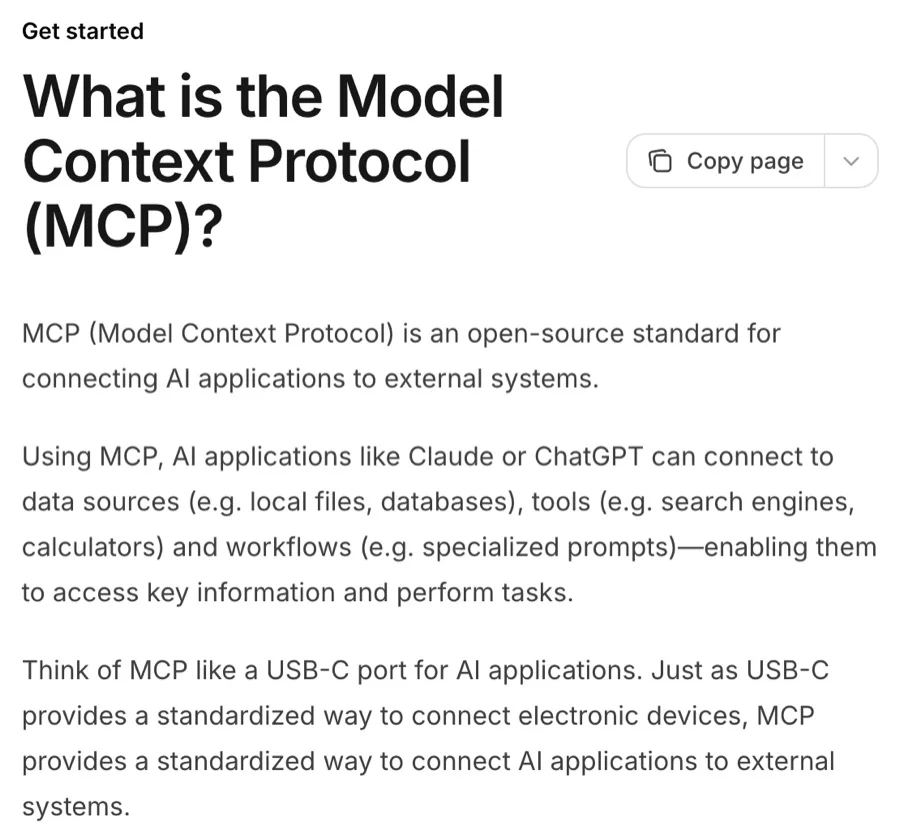
Screenshot of modelcontextprotocol.io, CC BY 4.0.
Here's why that matters. Press the two buttons and count the connectors.
Before MCP, three AI apps and four tools needed twelve custom connectors. With MCP, each tool gets one MCP server, and any AI app that speaks MCP can use it.
What is a Google Ads MCP?
A Google Ads MCP is that menu for Google Ads. Each item is a named job, like "read last week's search terms" or "add a negative keyword." Claude picks the job, the MCP server writes the ticket for Google's API, and the answer comes back in plain English.
Five parts make the loop. Tap any box. Then press "Change a budget" and watch where the change stops.
The loop: you ask Claude in plain English. Claude calls a tool on the MCP server inside Agency OS. The server asks the Google Ads API, which reads or changes the ad account. A change stops at a dry run until a person says yes.
The gold square is the whole idea: a change runs as a dry run first, which Google checks and then skips, and it goes through only after a person says yes.
What our MCP can touch: 66 Google Ads jobs
Our server lists 66 Google Ads jobs. Most of the menu is changes, and every one of them waits. Tap a number to light up its squares, or tap a square to see the job.
66 Google Ads jobs: 26 read only, 39 need a confirmed yes, 1 is a dry run only. By area: reports 3, account 7, campaigns 16, ads 10, keywords 14, conversions 6, audiences 3, Performance Max 7.
Be clear about what "waits for a yes" means. It is not a lock that only a human can open. A change is a dry run unless the call carries a confirm flag. Only someone whose role allows ad changes can sign in with the permission to send one. And the server writes an audit row before any call reaches Google; if the row can't be written, the call doesn't go. The yes is a habit the system makes easy, and it leaves a record every time.
One check, step by step
Here is the search-term check, the one that catches "photography jobs near me." Press play. Then switch to the risky negative and watch the server say no.
- Claude asks the server for one read-only sweep.
- The server reads search terms from the last 14 days and checks them against 90 days of history.
- Terms with spend and zero conversions come back as candidates, not verdicts.
- Claude judges each one against the studio's offer and proposes a negative.
- The negative runs as a dry run. The server refuses any negative that would block the campaign's own keywords.
- Claude shows you the change and the reason. You say yes, and only then is the change applied and read back.
The sweep hands back numbers, not verdicts. A term with spend and no conversions might be a job seeker. It might also be a mom who books next month. Claude judges it against what the studio actually sells, and you have the last word.
What gets checked every morning
It was almost never the campaign. It was what the campaign landed on. The path from the search to the deposit does the losing, and more spend makes it louder. So the checks follow the path, not just the campaign settings.
Tap each stop. Solid marks are in the morning sweep, outlined ones run when we ask, and dashed ones we haven't built yet.
- Search term: terms with spend and zero conversions in 14 days, checked against 90 days of history (morning sweep).
- Ad and keyword: ads, keywords, bids and the last 30 days of account changes (on request).
- Landing page: the landing-page report (on request). A scheduled check that each page loads and books is not built yet.
- Conversion tracking: conversion actions, goals, auto-tagging and tracking templates (on request). An alert for a silent conversion action is not built yet.
- Budget: Search campaigns losing more than 20% of impressions to budget while cost per conversion is on target (morning sweep).
- Across the path: campaigns that spent in the last 7 days with zero conversions (morning sweep).
The sweep runs as a supervised routine at 7:45 a.m. Eastern, one read-only pass per account. We piloted it in late September on five client accounts. It never adds a negative or changes a budget. It writes a brief, and a person reads it.
We run it on our own account too
We dogfood it. Photography to Profits' own Google Ads account runs through the same MCP, so every check also runs on our own money. Here's a real read from our account on October 14, 2026, using the "recent changes" job:
| What the read asked | What came back |
|---|---|
| Campaigns in the account | 5 campaigns, 2 running |
| Changes in the last 30 days | 6, all on September 21 |
| What changed | 6 new image assets |
| Who made them | A Google tool, logged as "internal tool" |
| Changes made through our MCP | 0 |
That last row is the point. A read tells you what changed, when, and through which door, including changes nobody on your team remembers making. And a quiet month with zero changes from the MCP is what "nothing changes without a yes" looks like in the log.
Some sites have no API at all. For those, Claude can use the browser instead. With Claude in Chrome, Claude reads, clicks and types in a website you're signed into while you watch. This week we used it to change settings in a client's website builder that has no API. It's slower than an API and we watch every step, so for Google Ads the API stays the first choice.
Why every morning beats every Friday
Checking more often doesn't stop problems from happening. It shortens how long each one runs, and spends. Drag the slider and watch the same seven problems.
Illustrative model with seven synthetic problems over four weeks. Checked weekly, they run unseen for 27 problem-days in total, up to 6 days each. Checked daily, 7 problem-days, 1 day each.
That is the whole case for agents here. A person checking weekly isn't careless. The check is slow to do by hand, so it happens on Friday. A sweep is a handful of queries. It can run every morning, on every account, without skipping a step because the week got busy.
Three ways to get this
You don't have to build anything to get morning checks. Here are your three options, side by side.
| Option | Example | What it knows | Who does the work |
|---|---|---|---|
| Subscribe to software | Optmyzr from $209 a month billed yearly, or Opteo from $129 a month | Every kind of business, from shoe stores to software | You connect your account and act on its suggestions |
| Build your own | Google's free MCP server plus Claude | Whatever you teach it | You set it up and read the brief every morning |
| Have us run it | Our Google Ads management | Portrait studios only: boudoir, newborn, family, wedding | We set it up in your account, read every brief and bring you the yes |
Prices are from Optmyzr's and Opteo's pricing pages on October 14, 2026. Both are good tools, built for every industry. Out of the box, neither knows that "newborn photography jobs" is a job seeker and "newborn photos near me" is a mom. That knowledge is the part you supply, or the part we bring.
How to build your own Google Ads MCP
You don't need 66 jobs. You need to read your account every morning. Start there, and add changes last, if ever.
- Create a Google Cloud project, enable the Google Ads API and apply for Explorer access.
- Create a sign-in (OAuth) client for Google Ads.
- Install Google's official, read-only Google Ads MCP server and connect it to Claude Code.
- Write each check as a plain-English skill and run it every morning.
- Only then add changes: dry run first, an explicit confirm after a person says yes, a log before every call, campaigns created paused.
Google released its own Google Ads MCP server in October 2025, free and open source. It's read-only, and that's the right first version for a studio. It lists your accounts and answers questions about them. It can't change a bid, pause a campaign or create an ad.
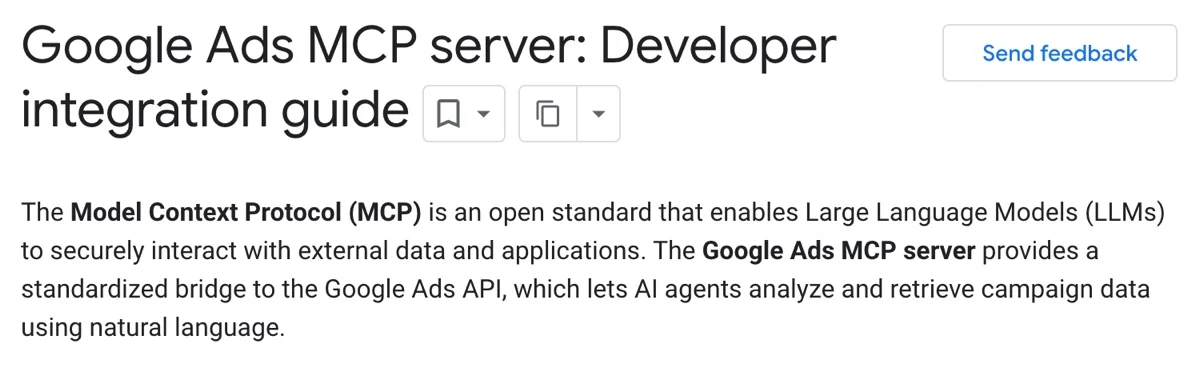
Screenshot of Google's developer guide. Portions of this page are reproduced from work created and shared by Google, CC BY 4.0. Google Ads is a trademark of Google LLC.
One thing changed recently. Google stopped issuing developer tokens from a manager account's API Center on September 9, 2026. New access now starts in a Google Cloud project, which begins with Test access. Read Google's access levels before you apply.
Google's MCP, Meta's MCP, or one of your own?
Every big ad platform is shipping its own MCP now. That's good news, and it raises a fair question: if Google and Meta hand you one, why did we build ours?
| MCP | What it can do | Worth knowing |
|---|---|---|
| Google Ads MCP | Lists your accounts and answers questions about them. Read only. | Free and open source. You run it yourself. Google has said changes are coming but hasn't shipped them. |
| Meta Ads MCP | Reports, plus creating and editing campaigns, ad sets, ads and audiences. | Open beta since April 2026. Works with ChatGPT, Claude and Claude Code. New ads arrive paused, you approve each action, and a business admin can block actions or cap budgets. |
| Ours, inside Agency OS | 66 Google Ads jobs, plus Meta ads, Business Profile, Search Console, Analytics, Tag Manager, HighLevel and more. | 26 services behind one sign-in, one log and the same guardrails. |
Theirs are good. We built ours to put everything in one place:
- One sign-in. Our team signs in to Agency OS once and reaches every client's Google Ads, Meta ads, Business Profile and Search Console. Nobody juggles a login per tool per studio, and the keys stay on the server.
- One log. Every call writes a record before it runs: who asked, which account, what it touched, and what it cost. When something looks off, there's one place to look.
- The same guardrails everywhere. New campaigns start paused, every call is logged before it runs, and each studio's account is fenced off from the others, on every platform. Google also lets us run a change as a dry run first; Meta doesn't offer that, so on Facebook the paused start and the log do that job.
For a single studio, Google's or Meta's own MCP is a fine place to start. Here's what Meta's Ads MCP can do, and why we built our own. Want to go deeper on the standard itself? Start with the official MCP docs, the official SDKs (TypeScript, Python, C#, Go, Rust, Ruby and more) and the MCP Registry, a public list of servers that's still in preview.
Where Claude Code, Codex, Grok Bot and routines fit
A few names keep coming up, and they are not the same kind of thing.
| Tool | What it is | How it reaches Google Ads |
|---|---|---|
| Claude Code | Anthropic's AI agent, and the one we work in. It reads files, runs checks and calls tools from plain English. | Through an MCP like ours. |
| Codex | OpenAI's agent. It can use MCP servers too. | Through the same kind of MCP. |
| Grok Bot | Named AI teammates you message like staff. | Through the websites you already log into, like the Ads dashboard. |
| A routine | The same check on a schedule. Ours runs at 7:45 a.m. Eastern. | Whatever the check uses. Ours reads through the MCP. |
| An MCP | The connector: a menu of jobs, each with its own rules. | Straight to the Google Ads API. |
If Claude Code feels like a cockpit, Grok Bot is the friendlier door. If you want checks that run on the API with rules you can read, that's an MCP, and any agent that speaks MCP can drive it. To teach an agent your own way of doing a check, see Claude skills for photographers.
Want this on your account? We'll set it up, read the brief every morning and bring you the yes. Photographers only.
See Google Ads management →Check your understanding
Six questions. Each one tells you right away whether you got it. Your answers stay on this page.
Six questions on MCP, dry runs, the yes, the morning sweep, where to start and why we built our own. The quiz needs JavaScript.
Frequently Asked Questions
What is a Google Ads MCP?
A Google Ads MCP is a menu of named Google Ads jobs that an AI like Claude can use, such as reading last week's search terms or adding a negative keyword. MCP, short for Model Context Protocol, is an open standard Anthropic created for handing AI assistants tools. Claude picks the job, the MCP server writes the request to the Google Ads API, and the answer comes back in plain English.
Should I let AI run my Google Ads account?
No. Let AI check your ads every morning, and keep the yes for yourself. In our setup, every change runs as a dry run first and only goes through after a person approves it. The morning sweep never adds a negative keyword or changes a budget. It writes a short brief, and a person decides what changes. Each call is logged before it reaches Google.
Can Google's official Google Ads MCP server make changes to my campaigns?
No. Google's own Google Ads MCP server is free, open source and read-only. It lists your accounts and answers questions about them, but it can't change a bid, pause a campaign or create an ad. Google has said changes are coming but hasn't shipped them. For a single studio, that read-only version is the right first step, because reading your account every morning is the part that matters most.
How do I build my own Google Ads MCP for my photography studio?
Start read-only. Create a Google Cloud project, enable the Google Ads API and apply for Explorer access, then create an OAuth sign-in client. Install Google's official read-only Google Ads MCP server and connect it to Claude Code. Write each check as a plain-English skill and run it every morning. Add changes last, if ever: dry run first, an explicit confirm after a person says yes, a log before every call, and new campaigns created paused.
What should I check in my Google Ads account every morning?
Check the path from search to booking, not just campaign settings. Our morning sweep flags search terms with spend and zero conversions over 14 days, checked against 90 days of history; Search campaigns losing more than 20% of impressions to budget while cost per conversion is on target; and campaigns that spent in the last 7 days with no conversions. Ads, keywords, landing pages and conversion tracking get checked on request.
How often should I check my Google Ads account?
Every morning beats once a week. Checking more often doesn't stop problems from happening, but it shortens how long each one runs and spends. In our illustrative model of seven problems over four weeks, weekly checks let them run unseen for 27 problem-days in total, while daily checks cut that to 7. A job-seeker search like 'photography jobs near me' can keep spending from Tuesday until a Friday review.
Should I use Optmyzr or Opteo, or build my own Google Ads MCP?
Use software if you want suggestions with little setup; build your own if you want checks that know your business. Optmyzr and Opteo are good tools built for every industry, listed from $209 a month billed yearly and $129 a month when we checked in October 2026. Out of the box, neither knows that 'newborn photography jobs' is a job seeker while 'newborn photos near me' is a mom. That knowledge is the part you supply.
What's the difference between Google's Ads MCP and Meta's Ads MCP?
Google's is read-only, while Meta's can make changes. Google's Ads MCP lists your accounts and answers questions about them, and you run it yourself. Meta's Ads MCP, in open beta, handles reports plus creating and editing campaigns, ad sets, ads and audiences, and works with ChatGPT, Claude and Claude Code. New Meta ads arrive paused, you approve each action, and a business admin can block actions or cap budgets.